|
| |
|
| |
|
| |
|
| |
|

|
Gerar Dean
|
 |
Acá abajo
Sep 2002
time: 01:35
|
|
Gente, miren esto
Lo quoteo por las dudas:
quote:
I am the Head Admin of CIV3Players, the largest MP Civ3 Conquests Ladder League in the world with almost 600 ranked players.
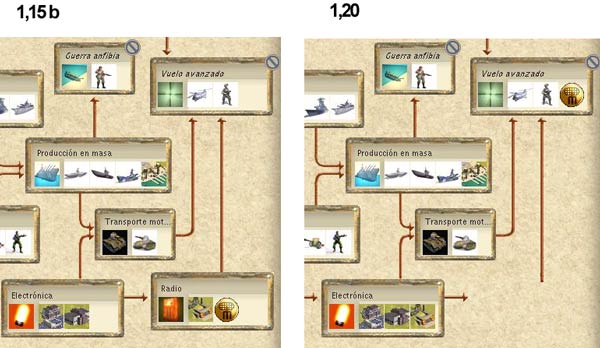
The 1.20 patch has a disasterous major bug for the MP player community. It is IMPOSSIBLE to restart a game that is suspended for whatever reason.
Yes, it's true, not only can't it LOAD a 1.15 save file, it also can't LOAD a 1.20 save file in Multiplayer mode.
I consider it irresponsible that this wasn't tested. In two hours using the new patch we encountered this bug a dozen times. It happens every time. You can go back 1, 2, 3, 4 save files it doesn't matter.
We have told all our members NOT to install 1.20. It is imperative that Firaxis put the 1.15 patch back up on their server as many people who misguidedly installed 1.20 have to uninstall Conquests and reinstall up to the 1.15 patch.
I hope this information helps others avoid pain and suffering.
Sincerely,
SirPartyMan
CIV3Players Head Admin
http://www.myleague.com/civ3players
"One game - one ladder - one community"
Sincerely,
SPM
|
|
|
| |
|
|
|
SAMUEL2904
|
|
 Agrego esto: Agrego esto:
quote:
CIV3Players Sticking with 1.15 - by SirPartyMan on 3/31/04
While we gave Firaxis the benefit of the doubt, after a few hours of testing, we have decided that the 1.20 Patch is not stable enough to implement yet for CIV3Players.
While some games have made it through to completion, if you have to restart the game (e.g. because of a drop), it becomes impossible to do so. You are faced with a black screen. And even if you restore some of the screen by clicking you don't have all the necessary game functionality.
For the time being, we recommend that you stay with 1.15. If you installed 1.20 based on my earlier advice, I apologize.
HOW TO UNINSTALL 1.20 AND REVERT TO 1.15:
1) You should uninstall CIV3 Conquests. And then reinstall it. This can be done by opening and closing your CD bay drawer and/or running the autorun program. From the autorun menu select UNINSTALL (click on the little circle to left not just on the word) - on the next screen REMOVE - you mus remove the CONQUESTS software 1st before you can reinstall.
2) Once removed, go back to the autorun menu for the CONQUESTS disk and select REINSTALL. You will now reinstall Conquests 1.00
3) You need to next apply the 1.15 patch. If you didn't save this file on your disk (and it's always a good idea to save patch files), you can download it again at: DOWNLOAD THE 1.15 PATCH
4) Now start the game and double check it says 1.15 in the lower left corner.
Again, my regrets. Someday this software will work, I just hope I live long enough to see it.
Sincerely, SPM
|
|
|
| |
|
|
|
Unspeakable Horror
|
|
Samuel, ayer se me colgó todo y perdí la conexión por unos minutos, al final pudiste darle el coso ese a GD?
|
|
| |
|
|
|
Unspeakable Horror
|
|
Nop. Ayer Samuel no sabía como mandartelo y me pidió ayuda (y yo tampoco sabía jeje)
|
|
| |
All times are GMT. The time now is 05:35.
Apolyton Time is 00:35. |
top of page
|
| archivepost |
|
Forum Rules:
You may not post new threads
You may not post replies
You may not post attachments
You may not edit your posts
|
HTML code is ON
vB code is ON
Smilies are ON
[IMG] code is ON
|
|
|
|
|
|






 01-04-2004 05:03


 Attachment:
 .
.


 |
|