|

|
Maquiladora
|
|
Big mc whats that script supposed to do? It runs but all its done is remove the alpha channel that sprite edit adds.
|
|
| |
|
|
|
Maquiladora
|
|
No, it didnt create a new alpha channel.
It didnt change the hue either.
|
|
| |
|
|
|
Maquiladora
|
|
When i do open it in notepad it says there an error in it.
quote:
Unexpected Error: JascApp.InvalidParameterValid
Trackback:
File "D:\Program Files\Jasc Software Inc\Paint Shop Pro 8\Python Libraries\Parser.py", line 156, in Do
val = Convert(sp, Environment)
File "D:\Program Files\Jasc Software Inc\Paint Shop Pro 8\Python Libraries\Parser.py", line 89, in Convert
AllCmdInfo = App.Do(Environment, 'GetCommandInfo', {
None
|
|
|
| |
|
|
|
Maquiladora
|
|
Yeah i was trying to but i dont know correct proceedure to destroy alpha channel, change hue, and create new alpha channel.
|
|
| |
|
|
|
Maquiladora
|
|
quote:
Originally posted by The Big Mc
here it goes hope it helps
Start with load up guxx1.1.tga
Now start recording your script (you may wish to run throw this first.
Layers > load/save mask > load mask from alpha channel
Load up the alpha channel
Layers> merge>visible
Adjust > hue and saturation > hue/saturation/lightness
Fiddle with the hue settings to get the correct colours
Now
Adjust > colour balance>black and white points
Set them so there is no black left on an image (the second colour on the black screen at 27,27,27)
Next to make the new alpha ( note the old alpha is just replaced)
Layers> new raster Layer
Now paint this Layer pure black
Then
Layers >arrange >send to bottom
Layers> merge>visible
Layers > load/save mask > save mask from alpha channel
Now save using the same name as the first mask it will prompt for over right
Layers> new raster Layer
Now paint this Layer pure black
Layers> merge>visible
Now save the script
To alter the hue values you can do it again or just do the hue in a new script then copy it over to the old script in notepad |
Having a problem with the part highlighted above. Once ive merged all the visible layers it wont let me "save mask to alpha channel".
|
|
| |
|
| |
|
|
|
Maquiladora
|
|
I noticed the exported shadow pictures from sprite edit dont come with alpha channels, but the unit pictures do. That might be why i cant get a script working on them all together, like ill have to do the shadows seperately.
|
|
| |
|
|
|
Maquiladora
|
|
I still cant get to run with the images it jusr crashes makespr, to say im pissed off is the understatement of the century.
|
|
| |
|
|
|
Maquiladora
|
|
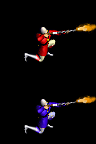
Its hard to post all ive got but heres 2 images from what im trying to do, one unit and one shadow of the same image. You tell me if theyre right.
and are you sure shadow pics dont need alpha channels because the cow unit has them?
EDIT: sorry i attached wrong shadow, just check the unit.
 Attachment: 1.zip Attachment: 1.zip
This has been downloaded 2 time(s).
|
|
| |
|
|
|
Maquiladora
|
|
Yeah i know my shadow is wrong way, i changed it round because i exported it wrong way. Can you attach a working script for unit sprite attack and unit sprite idle?
|
|
| |
|
|
|
Maquiladora
|
|
quote:
Also ideal and death are not directional and should start guiaxx.4.1.tif |
Okay i see what you mean now starting with 1 for frame 1 and not 0 as all the others.
|
|
| |
All times are GMT. The time now is 05:35.
Apolyton Time is 00:35. |
top of page
|
|
|
Forum Rules:
You may not post new threads
You may not post replies
You may not post attachments
You may not edit your posts
|
HTML code is ON
vB code is ON
Smilies are ON
[IMG] code is ON
|
|
|
|
|
|






 17-04-2004 18:47


 Attachment:
  I thought the unit number had to come first, or is it different only for idle animations?
 Attachment:
  Attachment:
  |
|