|
| |
|

|
Tomas1931
|
|
Glenview Il USA
Dec 2000
time: 05:37
|
|
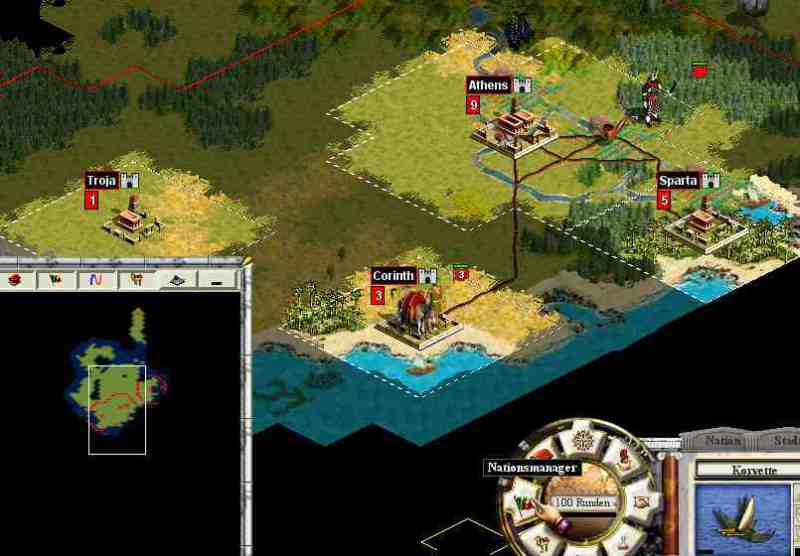
I continually crash to the desktop without warning The game will play for 10 turns or so and then crashes If I save the game and try to reload it crashes immediately I never had a problem with Windows 98 but I do with XP Home This happens with a vaniila edition with the patch with modswapper and the mods and with the source code I do not get any messages as to the error
I have uninstalled and reinstalled multiple times
I have Dell Dimension 8200 with a Pentium 4 2.38 gigs,512 megas of memory 64 meg nividiage force mx 420 ,latest driver from Nividia,Direct X9.0b I enjoy the game and am very frustrated I tried turning down acceleration and usig roadslic etc All to no avail
|
|
| |
|
|
|
Gilgamensch
|
|
France
Jun 2002
time: 06:37
|
|
Just to make sure:
This is for every new game you start?
In:
C:\Program Files\Activision\Call To Power 2\ctp2_program\ctp
(this would be the default installation path)
you find a file called userprofile.txt.
Check in there for the entry:
DebugSlic, this shall be set to No.
DebugSlic=No
Brings me to another question:
With how many civ's do you play?
Default would be:
NumPlayers=8
Mayeb just attach this file, that we could check for the rest as well.
All the above assumes, you might have changed something, except the first one (debugslic).
|
|
| |
|
|
|
Fromafar
|
|
For the original game, there are some suggestions at the Xplosiv site, but it looks like you have tried most of these already. And, of course, these will not help when the problem is in the game itself.
If you are using a playtest release, modifying the Userprofile.txt file may help us find the error. Please change the line EnableLogs=No to EnableLogs=Yes, and just play.
When the game crashes, it should generate a file crash.txt with some information on where the crash has occurred.
|
|
| |
|
|
|
Tomas1931
|
|
Glenview Il USA
Dec 2000
time: 05:37
|
|
I deleted CTP2 reinstalled it added the patch and then downloaded the latest play tes the one from March 2004 I did not add any mods or modmanager though when I looked in the directory Those files were still there even though the program and modmanager was removed The Debugslic was aready no I Enable to yes as you suggested The game played 8 civs hard Americans Default map It playe until 3059 BD and the crashed If I tried to load the autosave it crashed or tried a new game it crashed going to a screen 640x480 even though my screenwas at 1024 I had to reboot I got a microsoft error message which was very complicate
Error Signature
AppName:CTP2.exe App Ver. 1.2.00 Mod name unknown
Modver 0.000 offset 00000000
Exception Information
Code 0xc 00000000000000005 Flag 0x00000000
Record 0xo Address 0x 0000000000000000
System Inf
Windows NT 5.1 Build2600(Iam using Windows XP Home with the service pack
Then cpu vendor code756E6547-4965E69
There was more which I could not interpret
I am ready to give up
|
|
| |
|
|
|
Tomas1931
|
|
Glenview Il USA
Dec 2000
time: 05:37
|
|
Here is the crash.txt
0x005c2502 [?DrawString@aui_BitmapFont@@QAE? AW4AUI_ERRCODE@@PAVaui_Surface@@PAUtagRECT@@1PBDKK
J@Z + 0xf2]
0x005f2568 [?DrawThisText@aui_TextBase@@IAE?AW4AUI_ERRCODE@@PAVaui_Surface@@PAUtagRECT@@@Z + 0x1f8]
0x005c8a64 [?DrawThis@aui_Control@@UAE?AW4AUI_ERRCODE@@PAVaui_Surface@@JJ@Z + 0xf4]
0x005e83e1 [?Draw@aui_Region@@UAE?AW4AUI_ERRCODE@@PAVaui_Surface@@JJ@Z + 0x21]
0x005c895c [?Draw@aui_Control@@UAE?AW4AUI_ERRCODE@@PAVaui_Surface@@JJ@Z + 0x2c]
0x005e82c8 [?HandleMouseEvent@aui_Region@@QAE?AW4AUI_ERRCODE@@PAUaui_MouseEvent@@H@Z + 0x188]
0x005e81cc [?HandleMouseEvent@aui_Region@@QAE?AW4AUI_ERRCODE@@PAUaui_MouseEvent@@H@Z + 0x8c]
0x005f7fb9 [?HandleMouseEvents@aui_UI@@QAE?AW4AUI_ERRCODE@@JPAUaui_MouseEvent@@@Z + 0x99]
0x005f85f3 [?Process@aui_UI@@UAE?AW4AUI_ERRCODE@@XZ + 0x23]
0x0040c4b0 [?ProcessUI@CivApp@@QAEJKAAK@Z + 0x1a0]
0x0040c8b2 [?Process@CivApp@@QAEJXZ + 0x112]
0x00407608 [?CivWinMain@@YGHPAUHINSTANCE__@@0PADH@Z + 0x3a8]
0x004070c5 [WinMain@16 + 0x65]
0x0078ee2c [WinMainCRTStartup + 0x134]
0x77e814c7 [__onexitbegin + 0x7739160f]
and here is my user.txt
NumPlayers=9
AiOn=Yes
UseNiceStart=Yes
UseMapPlugin=Yes
Difficulty=3
RiskLevel=2
Pollution=Yes
UnitAnim=Yes
GoodAnim=No
TradeAnim=Yes
WaterAnim=Yes
LibraryAnim=No
WonderMovies=Yes
BounceMessage=No
MessageAdvice=Yes
TutorialAdvice=No
EnemyMoves=Yes
RevoltWarning=Yes
EnemyIntrude=Yes
UnitLostWarning=Yes
TradeLostWarning=Yes
CityLostWarning=Yes
AutoCenter=Yes
FullScreenMovies=Yes
AutoSave=Yes
PlayerNumber=1
CivIndex=24
GameName=Frankl
LeaderName=David
CivName=Hebrews
SaveNote=
Gender=0
NoHumansOnHost=No
LogPlayerStats=No
SfxVolume=5
VoiceVolume=5
MusicVolume=7
XWrap=Yes
YWrap=No
AutoGroup=No
AutoDeselect=Yes
AutoSelectNext=Yes
AutoSelectFirstUnit=Yes
AutoTurnCycle=Yes
CombatLog=No
UseLeftClick=Yes
ShowZoomedCombat=Yes
UseFingerPrinting=No
UseRedbookAudio=Yes
RequireCD=No
Prophylaxis=No
TryWindowsResolution=No
UseDirectXBlitter=Yes
ScreenResWidth=800
ScreenResHeight=600
ZoomedCombatAlways=Yes
AttackEveryone=No
NonRandomCivs=No
GameWatchDirectory=
AutoEndMultiple=Yes
WetDry=5
WarmCold=5
OceanLand=3
IslandContinent=5
HomoDiverse=8
GoodCount=5
ThroneRoom=Yes
MaxPlayers=0
MapSize=1
AlienEndGame=Yes
UnitCompleteMessages=Yes
NonContinuousUnitCompleteMessages=Yes
DebugSlic=No
DiplomacyLog=No
CheatAge=0
DontKillMessages=No
AIPopCheat=Yes
ShowCityNames=Yes
ShowTradeRoutes=Yes
UnitSpeed=1
MouseSpeed=4
LeftHandedMouse=No
CityBuiltMessage=Yes
UseAttackMessages=No
MapPlugin0=dll\\map\\geometric.dll
MapPlugin1=dll\\map\\crater.dll
MapPlugin2=dll\\map\\plasma2.dll
MapPlugin3=dll\\map\\plasma2.dll
OldRegisterClick=No
CTP2Mode=Yes
MoveHoldTime=500
BattleSpeed=5
ScrollDelay=3
AutoSwitchTabs=Yes
AutoRenameCities=No
AutoOpenCityWindow=Yes
ShowEnemyHealth=No
ShowCityInfluence=Yes
ShowPoliticalBorders=Yes
EndTurnSound=Yes
EnableLogs=Yes
DisplayUnits=No
DisplayCities=No
DisplayBorders=No
DisplayFilter=Yes
DisplayTrade=Yes
DisplayTerrain=Yes
CloseOnEyepoint=No
ShowExpensive=No
|
|
| |
|
|
|
Tomas1931
|
|
Glenview Il USA
Dec 2000
time: 05:37
|
|
Here is a load game from 1440Bc same as the one befor and here is tis crash txt
0x0078727a [Cache_New + 0x10]
0x00786eff [TT_New_Glyph + 0x1f]
0x005c936b [? GetGlyphInfo@aui_BitmapFont@@QAEPAUGlyphInfo@1@D@Z
+ 0xcb]
0x005c9c04 [?RenderLine@aui_BitmapFont@@QAE? AW4AUI_ERRCODE@@PAVaui_Surface@@PAUtagRECT@@1PAUta
gPOINT@@PAPBDPBDKJPAJ5HHH@Z + 0x124]
0x005c99fe [?DrawString@aui_BitmapFont@@QAE? AW4AUI_ERRCODE@@PAVaui_Surface@@PAUtagRECT@@1PBDKK
J@Z + 0x31e]
0x005f98e8 [?DrawThisText@aui_TextBase@@IAE?AW4AUI_ERRCODE@@PAVaui_Surface@@PAUtagRECT@@@Z + 0x1f8]
0x0065107d [?DrawThis@ctp2_Button@@UAE?AW4AUI_ERRCODE@@PAVaui_Surface@@JJ@Z + 0x8d]
0x005ef751 [?Draw@aui_Region@@UAE?AW4AUI_ERRCODE@@PAVaui_Surface@@JJ@Z + 0x21]
0x005cfc2c [?Draw@aui_Control@@UAE?AW4AUI_ERRCODE@@PAVaui_Surface@@JJ@Z + 0x2c]
0x005ef78b [?Draw@aui_Region@@UAE?AW4AUI_ERRCODE@@PAVaui_Surface@@JJ@Z + 0x5b]
0x005cfc2c [?Draw@aui_Control@@UAE?AW4AUI_ERRCODE@@PAVaui_Surface@@JJ@Z + 0x2c]
0x005ef7fe [?DrawChildren@aui_Region@@QAE?AW4AUI_ERRCODE@@PAVaui_Surface@@JJ@Z + 0x3e]
0x004b8314 [?EndTurn@Player@@QAEXXZ + 0xb4]
0x004ff5c1 [?StartNextPlayer@NewTurnCount@@SAX_N@Z + 0xc1]
0x004c784d [?GEVHookCallback@EndTurnEvent@@EAE? AW4GAME_EVENT_HOOK_DISPOSITION@@W4GAME_EVENT@@PAVG
ameEventArgList@@@Z + 0x2d]
0x00562939 [?Activate@GameEventHook@@QAE?AW4GAME_EVENT_ERR@@PAVGameEventArgList@@AAJ@Z + 0x29]
0x00563382 [?ActivateHook@GameEventManager@@QAE? AW4GAME_EVENT_ERR@@W4GAME_EVENT@@PAVGameEventArgLi
st@@AAJ@Z + 0x22]
0x005615fe [?Process@GameEvent@@QAE?AW4GAME_EVENT_ERR@@AAH@Z + 0x3e]
0x005630e7 [?Process@GameEventManager@@QAE?AW4GAME_EVENT_ERR@@XZ + 0x87]
0x00563027 [?ArglistAddEvent@GameEventManager@@QAE? AW4GAME_EVENT_ERR@@W4GAME_EVENT_INSERT@@W4GAME_EVE
NT@@PAVGameEventArgList@@@Z + 0x1c7]
0x00562e3c [?AddEvent@GameEventManager@@QAA? AW4GAME_EVENT_ERR@@W4GAME_EVENT_INSERT@@W4GAME_EVE
NT@@ZZ + 0xcc]
0x00432d85 [? dh_endTurn@@YAXPAVDQAction@@PAVSequence@@W4DHEXECU
TE@@@Z + 0x35]
0x0042b620 [?HandleNextAction@Director@@QAEXXZ + 0xe0]
0x0040c8e2 [?Process@CivApp@@QAEJXZ + 0x112]
0x00407608 [?CivWinMain@@YGHPAUHINSTANCE__@@0PADH@Z + 0x3a8]
0x004070c5 [WinMain@16 + 0x65]
0x0079603c [WinMainCRTStartup + 0x134]
0x77e814c7 [__onexitbegin + 0x7738942f]
Maybe this will help Up to now the game is not playable for me
|
|
| |
|
|
|
Tomas1931
|
|
Glenview Il USA
Dec 2000
time: 05:37
|
|
Here is another crash playing Alexander around 3060 BC 5 or 6 moves ok then a crash to desktop Here is the crash text
0x005c97d2 [?DrawString@aui_BitmapFont@@QAE? AW4AUI_ERRCODE@@PAVaui_Surface@@PAUtagRECT@@1PBDKK
J@Z + 0xf2]
0x005f98e8 [?DrawThisText@aui_TextBase@@IAE?AW4AUI_ERRCODE@@PAVaui_Surface@@PAUtagRECT@@@Z + 0x1f8]
0x00615bbc [?DrawThis@c3_Button@@UAE?AW4AUI_ERRCODE@@PAVaui_Surface@@JJ@Z + 0x16c]
0x005ef751 [?Draw@aui_Region@@UAE?AW4AUI_ERRCODE@@PAVaui_Surface@@JJ@Z + 0x21]
0x005cfc2c [?Draw@aui_Control@@UAE?AW4AUI_ERRCODE@@PAVaui_Surface@@JJ@Z + 0x2c]
0x005ef78b [?Draw@aui_Region@@UAE?AW4AUI_ERRCODE@@PAVaui_Surface@@JJ@Z + 0x5b]
0x005cfc2c [?Draw@aui_Control@@UAE?AW4AUI_ERRCODE@@PAVaui_Surface@@JJ@Z + 0x2c]
0x005ef78b [?Draw@aui_Region@@UAE?AW4AUI_ERRCODE@@PAVaui_Surface@@JJ@Z + 0x5b]
0x005cfc2c [?Draw@aui_Control@@UAE?AW4AUI_ERRCODE@@PAVaui_Surface@@JJ@Z + 0x2c]
0x005ef638 [?HandleMouseEvent@aui_Region@@QAE?AW4AUI_ERRCODE@@PAUaui_MouseEvent@@H@Z + 0x188]
0x005ef53c [?HandleMouseEvent@aui_Region@@QAE?AW4AUI_ERRCODE@@PAUaui_MouseEvent@@H@Z + 0x8c]
0x005ff339 [?HandleMouseEvents@aui_UI@@QAE?AW4AUI_ERRCODE@@JPAUaui_MouseEvent@@@Z + 0x99]
0x005ff973 [?Process@aui_UI@@UAE?AW4AUI_ERRCODE@@XZ + 0x23]
0x0040c4e0 [?ProcessUI@CivApp@@QAEJKAAK@Z + 0x1a0]
0x0040c8e2 [?Process@CivApp@@QAEJXZ + 0x112]
0x00407608 [?CivWinMain@@YGHPAUHINSTANCE__@@0PADH@Z + 0x3a8]
0x004070c5 [WinMain@16 + 0x65]
0x0079603c [WinMainCRTStartup + 0x134]
0x77e814c7 [__onexitbegin + 0x7738942f]
and my userprofile txt
NumPlayers=9
AiOn=Yes
UseNiceStart=Yes
UseMapPlugin=Yes
Difficulty=3
RiskLevel=2
Pollution=Yes
UnitAnim=Yes
GoodAnim=No
TradeAnim=Yes
WaterAnim=Yes
LibraryAnim=No
WonderMovies=Yes
BounceMessage=No
MessageAdvice=Yes
TutorialAdvice=No
EnemyMoves=Yes
RevoltWarning=Yes
EnemyIntrude=Yes
UnitLostWarning=Yes
TradeLostWarning=Yes
CityLostWarning=Yes
AutoCenter=Yes
FullScreenMovies=Yes
AutoSave=Yes
PlayerNumber=1
CivIndex=1
GameName=David
LeaderName=Alexander the Great
CivName=Greeks
SaveNote=
Gender=0
NoHumansOnHost=No
LogPlayerStats=No
SfxVolume=5
VoiceVolume=5
MusicVolume=7
XWrap=Yes
YWrap=No
AutoGroup=No
AutoDeselect=Yes
AutoSelectNext=Yes
AutoSelectFirstUnit=Yes
AutoTurnCycle=Yes
CombatLog=No
UseLeftClick=Yes
ShowZoomedCombat=Yes
UseFingerPrinting=No
UseRedbookAudio=Yes
RequireCD=No
Prophylaxis=No
TryWindowsResolution=No
UseDirectXBlitter=Yes
ScreenResWidth=800
ScreenResHeight=600
ZoomedCombatAlways=No
AttackEveryone=No
NonRandomCivs=Yes
GameWatchDirectory=
AutoEndMultiple=Yes
WetDry=5
WarmCold=5
OceanLand=3
IslandContinent=5
HomoDiverse=8
GoodCount=5
ThroneRoom=No
MaxPlayers=1
MapSize=2
AlienEndGame=Yes
UnitCompleteMessages=Yes
NonContinuousUnitCompleteMessages=Yes
DebugSlic=No
DiplomacyLog=No
CheatAge=0
DontKillMessages=No
AIPopCheat=Yes
ShowCityNames=Yes
ShowTradeRoutes=Yes
UnitSpeed=1
MouseSpeed=5
LeftHandedMouse=No
CityBuiltMessage=Yes
UseAttackMessages=No
MapPlugin0=dll\\map\\geometric.dll
MapPlugin1=dll\\map\\crater.dll
MapPlugin2=dll\\map\\plasma2.dll
MapPlugin3=dll\\map\\plasma2.dll
OldRegisterClick=No
CTP2Mode=Yes
MoveHoldTime=500
BattleSpeed=5
ScrollDelay=3
AutoSwitchTabs=Yes
AutoRenameCities=No
AutoOpenCityWindow=Yes
ShowEnemyHealth=No
ShowCityInfluence=Yes
ShowPoliticalBorders=Yes
EndTurnSound=Yes
EnableLogs=Yes
DisplayUnits=Yes
DisplayCities=Yes
DisplayBorders=Yes
DisplayFilter=Yes
DisplayTrade=Yes
DisplayTerrain=Yes
CloseOnEyepoint=No
ShowExpensive=No
ColorSet=0
|
|
| |
|
| |
|
|
|
Tomas1931
|
|
Glenview Il USA
Dec 2000
time: 05:37
|
|
Thanks
I probably do have a problem with the video card and drivers namely
Nividia tells me to use driver 56.72 for theGE Force MX 420 64 megs Date october 2003;Windows update tells me to use driver 52.16 dated april 2003; and Dell Website tells me to use an earlier version which Gives me a warning that this is not Windows authenticated All 3 work on my computer though the one from Dell requires me to change my resolution from 880 to 1024 I have elected to go with driver 56.16 which is the latest driver I also found in playing Ground Control II that I would get a warning that my video card is outdated unless I use the 56.72 Driver All of them crash with CTPII
|
|
| |
|
|
|
Tomas1931
|
|
Glenview Il USA
Dec 2000
time: 05:37
|
|
I attempted to download the new version of the playtest that you recommended I used Winrar double clicked on the file and then extracted to the CTP folder but when I go to the game it still shows the 3/28/04 with logo what am I doing wrong I am use To Winzip I need help
|
|
| |
|
|
|
Tomas1931
|
|
Glenview Il USA
Dec 2000
time: 05:37
|
|
It did ask me to overwrite the files and the apolyton read text in the ctp folder shows the update but the logo on starting the game still shows 3/04
|
|
| |
|
|
|
Tomas1931
|
|
Glenview Il USA
Dec 2000
time: 05:37
|
|
I dont seem to be able to copy my save games in to the reply section of the forum with wants an extension I need help on how to do this
|
|
| |
|
|
|
Tomas1931
|
|
Glenview Il USA
Dec 2000
time: 05:37
|
|
here is a save file in rar format
 Attachment: autosave-alexan.rar Attachment: autosave-alexan.rar
This has been downloaded 2 time(s).
|
|
| |
|
|
|
Tomas1931
|
|
Glenview Il USA
Dec 2000
time: 05:37
|
|
Is there any hope since my save game played normally it is something on my computer I am using the correct driver for the nividia geforce mx 420 accor not were to begin as it is crashing constantly Any suggestion would be appreciated
|
|
| |
|
|
|
Tomas1931
|
|
Glenview Il USA
Dec 2000
time: 05:37
|
|
anyone playing the game with WIndows XP Home service pack and anividia GE Force mx 420 64 megs could show me what drivers They are using and I can see if by using those drivers the game will play right now I am using the nividia 56.72 latest drivers on their web All my other games play normally I have a Dell Dimension 8200 whether that has any meaning
|
|
| |
|
|
|
Tomas1931
|
|
Glenview Il USA
Dec 2000
time: 05:37
|
|
Since I keep crashing to desktop and the same save file played normally on your machine and I checked and I have the proper drivers for the niviia ge forcemx420 Reinstalling the game makes no difference Would it be of benefit to reinstall Windows Xp as some critical file that CTP needs may not be present Any suggestions would be of grat help as I reall like to be able to play this game
|
|
| |
|
|
|
Fromafar
|
|
Since the aui_BitmapFont:: DrawString function is causing the crashes, I would start by looking for possible font or resolution problems. Some suggestions:- Set TryWindowsResolution=Yes in userprofile.txt.
- Verify Windows is using normal font size (96 dpi).
- Check for missing or corrupt font files. CTP2 uses arial.ttf, arialbd.ttf, times.ttf, timesbd.ttf, and lucon.ttf. Usually, these are located in the Windows' Fonts directory.
|
|
| |
|
|
|
Tomas1931
|
|
Glenview Il USA
Dec 2000
time: 05:37
|
|
Thank you very much Fromafar and I will try your suggestions but I need to ask some question as a Window Newbie
Were do I find the Windows font size and how do I change it?
How do i tell a corrupt file?
I know how to compare if a file is missing between windows and the game but wich folder or file in the game has these*.ttf files but not a corrupt file
If I find a missing or corrupt file how do I fix it I only have a reinstall Windows XP from Dell not an orinal program and if this is the case should I reinstall Windows XP and then try the game
Thank You
Tomas1931
! also appreciate how fantastic you "guys" are
|
|
| |
|
| |
All times are GMT. The time now is 05:37.
Apolyton Time is 00:37. |
top of page
|
|
|
Forum Rules:
You may not post new threads
You may not post replies
You may not post attachments
You may not edit your posts
|
HTML code is ON
vB code is ON
Smilies are ON
[IMG] code is ON
|
|
|
|
|
|





 24-06-2004 18:12




 .
.

 Attachment:
  |
|