|
| |
|
| |
|

|
Atahualpa
|
 |
Hawthrone
Mar 1999
time: 06:18
|
|
quote:
Originally posted by Lord Nuclear
Speaking of transparent, can anyone get my avatar to be transparent? |
The quality is very bad and it would probably not look very good. If you have photoshop and the original:
You'd have to cut out everything leaving only the object (everything else is transparent - convert background layer to layer 0 first). Then you have to restore the shadow: Clone the object and drag it a bit to the lower right corner. Paint it gray (not paint over the transparent area) and apply some blurring filter. Put it behind the other.
Resize the image to fit as avatar and in "File>Save for web", choose gif and make sure transparent is ticked.
Last edited by Atahualpa on 09-12-2004 at 15:40
|
|
| |
|
| |
|
|
|
Unspeakable Horror
|
|
Let´s see...
Edit, didn´t work, I´ll try again 
Edit, almost!
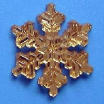
 Attachment: goldensnowflake1g3.gif Attachment: goldensnowflake1g3.gif
This has been downloaded 96 time(s).
Last edited by Unspeakable Horror on 11-12-2004 at 19:40
|
|
| |
All times are GMT. The time now is 05:18.
Apolyton Time is 00:18. |
top of page
|
|
|
Forum Rules:
You may not post new threads
You may not post replies
You may not post attachments
You may not edit your posts
|
HTML code is ON
vB code is ON
Smilies are ON
[IMG] code is ON
|
|
|
|
|
|






 08-12-2004 23:44


 Also reminds everyone to pronounce the initial consonant like the ch in "loch", but dont overdo it






 Too bad I almost only use Fireworks nowadays for graphics


 Attachment:


 |
|