|
alms66
|
|
Louisiana
Oct 1999
time: 23:34
|
|
quote:
Originally posted by LDiCesare
You also have goals in civ2. ("Then we should research blah").
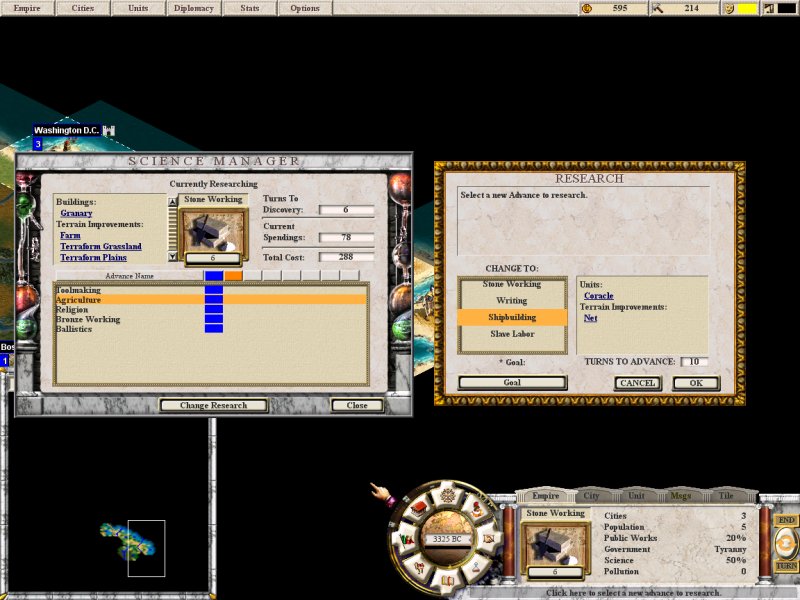
I'm no good at user interface, so I won't discuss much here, but we must think of how to display current research, what applications (mostly units now) are available/allowed, and what techs unlock which other tech, which is somewhat like a tree. |
Now that you mention it, I do kind of remember goals in civ2, though I don’t think I ever used them back then.
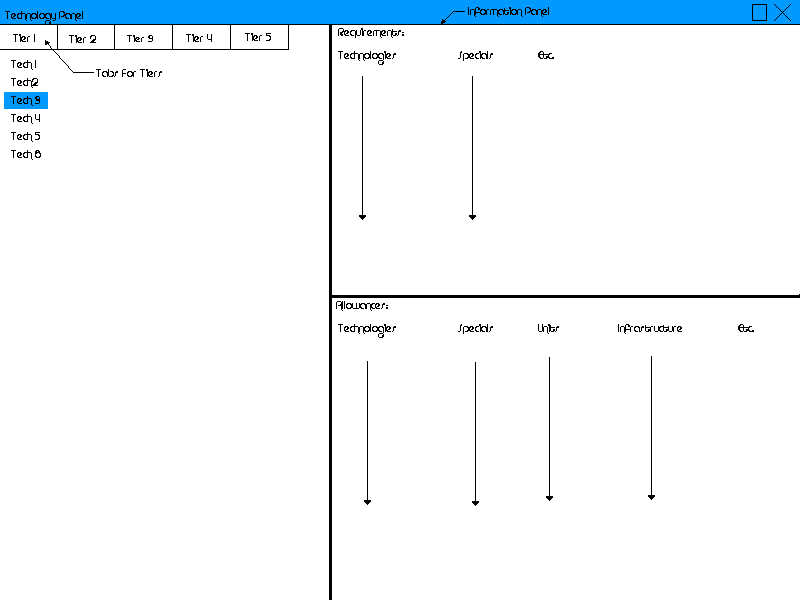
Regarding the GUI, I’ve got a crude (very, very crude  ) mock-up here, which we could use for now. I’ll explain the sections here, incase they aren’t very clear (feel free to ask if more explanation is needed), and then attach the image. ) mock-up here, which we could use for now. I’ll explain the sections here, incase they aren’t very clear (feel free to ask if more explanation is needed), and then attach the image.
The blue bar labeled “Technology Panel” is the typical ‘window bar’.
On the left, is the “Tech Tree Panel”, with tabs for each tier of technology. When a tab is selected, an alphabetical list of techs on that tier displays below. Only when one of these techs in the list is selected is the information half (the right half) of the panel updated.*
The right half, the “Information Panel”, as stated above, is divided into the “Requirements Pane” and the “Allowances Pane”.
The “Requirements Pane” has lists of required tech levels, specials, etc., for the particular technology selected.
The “Allowances Pane” has lists of allowed techs, specials, units, infrastructure, etc., for the particular technology selected.
*Note that will probably want to include various filters along the bottom of this pane, such as “Show Active/Inactive Techs Only”, “Show Techs of x Level or Greater Only”, or “Show Techs of y Level or Less Only”. This would also be a good place for a “Goal” type button.
**Just above the buttons, we should list helpers for the selected tech.
***Also note that the three major panes (Tech Tree, Requirements, and Allowances) should all be horizontally and vertically scrollable.
 Attachment: technology.gif Attachment: technology.gif
This has been downloaded 9 time(s).
|





 03-01-2005 02:47


 Attachment:
  |
|
 |
|