|
| |
|

|
Mercator
|
 |
Sorekara no Nanimo
Jan 1970
time: 06:15
|
|
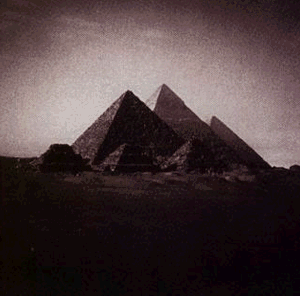
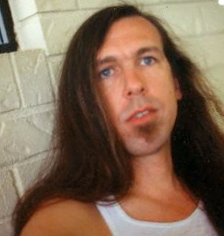
Well, I tried my hand at your photo Exile, and I came up with 4 results...
EDIT: and instead of having to save these images to your HD etc. Here´s a much simpler way:
- copy the following URL, and paste it in the avatar URL location on your profile options... Oh, the copying should be done by right-clicking and choosing "copy shortcut" (or something along those lines, in IE5) since the URL that´s displayed is abbreviated with some dots in the middle.
http://apolyton.net/forums/attachme...p;postid=429804
no. 1
 Attachment: exile1.jpg Attachment: exile1.jpg
This has been downloaded 58 time(s).
Last edited by Mercator on 20-08-2001 at 17:47
|
|
| |
|
| |
|
| |
|
| |
|
|
|
Exile
|
 |
of the Benighted Realms
Sep 2000
time: 23:15
|
|
OK, Mercator; LMMFAO! JESUS!!  Strange thing, though; I actually like the first one. Think I'll try to use it. I just saw it and had to write this, so now I'll go back and see if I can follow your instructions on how to put the thing in place. Strange thing, though; I actually like the first one. Think I'll try to use it. I just saw it and had to write this, so now I'll go back and see if I can follow your instructions on how to put the thing in place. 
I will probably screw up, so you should be hearing from me again before this is over. 
Thanks,
Exile
edit; ok, I wanna use the avatar in the "how about Jesus" post," the first one with the "sunburst" effect. I right-clicked and did the shortcut thing, then click on the control panel, clicked on options, and then what? how do I put the url in the little space?
Last edited by Exile on 22-08-2001 at 13:30
|
|
| |
|
| |
|
| |
|
|
|
Laszlo
|
 |
Taipei, Taiwan
May 2000
time: 00:15
|
|
quote:
Originally posted by Laszlo
PS - Mercator, could you tell me how you managed that halo effect? |
Well, I guess you would have to have the tilt for the halo effect. Otherwise the tilted sides of the original would cut across the corners. That's why I only did 15 degrees of change, because more would have caused the image to be smaller.
And Exile, I'm one fifth of the way towards posting my own avatar (100th post!), but it explains it all in the Edit Options area of your Apolyton Control Panel. You just click, Change Avatar, then where it says "You can upload an avatar from your computer:" you click Browse and find the downloaded picture.
To keep all three, right-click them and select "Save File As...", then navigate to a folder you can remember. You might even create an Apolyton folder for this sole purpose. Then you can always upload your switch with the Browse button in your Apolyton Control Panel.
Good luck,
Laszlo
|
|
| |
|
| |
All times are GMT. The time now is 05:15.
Apolyton Time is 00:15. |
top of page
|
| archivepost |
|
Forum Rules:
You may not post new threads
You may not post replies
You may not post attachments
You may not edit your posts
|
HTML code is ON
vB code is ON
Smilies are ON
[IMG] code is ON
|
|
|
|
|
|






 18-08-2001 02:54





 Attachment:


 Hope that wasn´t too much of a spamming business.

 , rather big indeed.


 I had to paste it into MS Paint to save it (so next time the jpg compression should be better looking).
 Now even Paint won't save! I'll just post the bitmap even though it will put a dent in the download time. Here you go...
 Attachment:


 I had fun making the avatars and I´m happy you like ´em, that´s all the credit I need.
  |
|